Brand URL Setting
Brand URL (Only For Reseller)
Stack Console provides two whitelabeling options for resellers to offer a branded experience to their customers.
- You can view and create brand URL present currently. To create new brand URL, click on Add Domain on the right-hand side of the page.
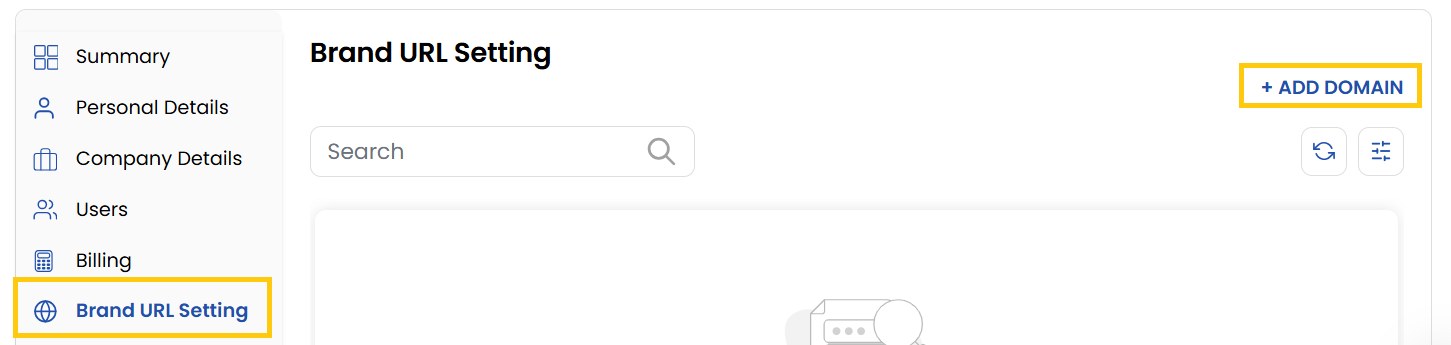
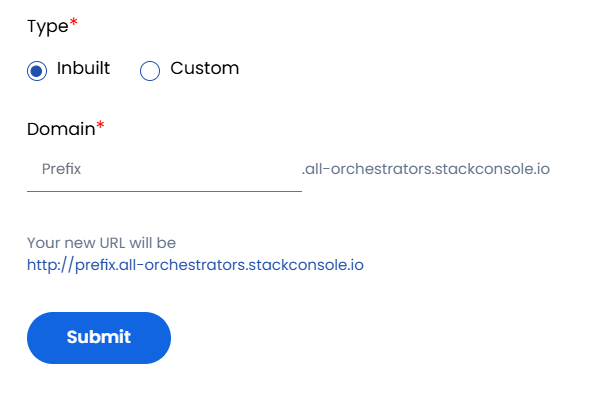
Partially Branded URL - Inbuilt
With this option, a temporary, partially branded URL is created by default. Your customers and sub-resellers can use this URL to access the control panel.
- Click the Login To Portal button to access the control panel via the partially branded URL.
- You can customize the URL by updating its prefix. Enter your desired prefix and click Change Prefix.
- Your new URL will be generated and ready for use.
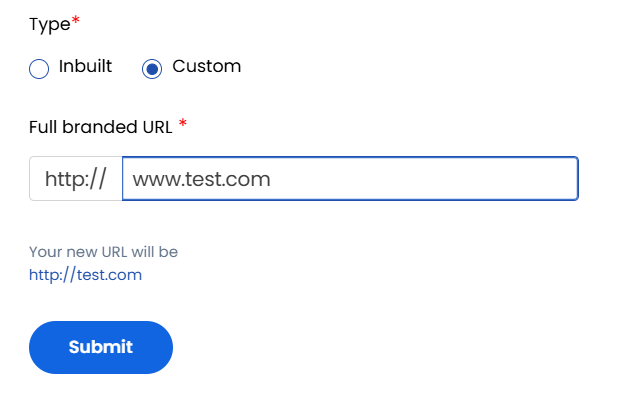
Fully Branded URL - Custom
This option allows you to use your own domain name for full whitelabeling of the control panel.
- Add your primary domain and click Save.
Conclusion
The Brand URL setting empowers resellers to deliver a customized, branded experience through either a partially or fully whitelabeled domain. This enhances brand identity and provides a seamless access point for customers and sub-resellers.
tip
See also: